

Document:
Contact Us
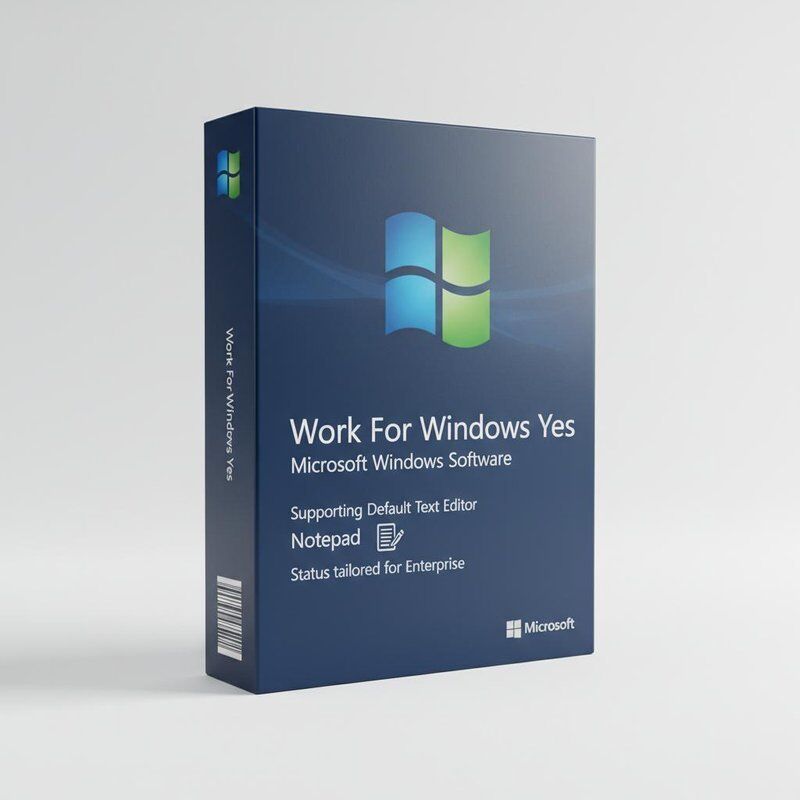

Microsoft Windows Software stands as a premier Computer OS Software solution designed to enhance the computing experience for users worldwide. As one of the most widely recognized and utilized Computer Software products, it offers robust functionality, seamless integration, and a user-friendly interface that caters to both personal and professional needs. This particular edition is fully compatible with Windows 10, making it an ideal choice for users seeking to upgrade or maintain their operating system on this platform.
One of the key features of Microsoft Windows Software is its comprehensive language support, with this product version specifically tailored for English-speaking users. This ensures that all menus, help guides, and system messages are clearly presented in English, enabling users to navigate and utilize the operating system with ease and confidence. The English language support also facilitates better communication and accessibility for a broad range of users across different regions.
Security is a paramount concern in today's digital world, and Microsoft Windows Software addresses this with a dedicated security label that highlights its built-in protective measures. This feature is instrumental in safeguarding your device against viruses, malware, and unauthorized access, thereby providing a secure environment for your data and applications. Users can benefit from regular security updates and advanced features such as Windows Defender and firewall protection, which collectively help maintain the integrity and confidentiality of their information.
Designed exclusively for Windows 10, this Computer OS Software ensures optimal performance and compatibility with a wide array of hardware and software applications. Users can expect smooth operation, enhanced speed, and reliable stability, which are critical for both everyday tasks and more demanding computing activities. The software supports multitasking, advanced graphics, and connectivity options that facilitate a productive and enjoyable user experience.
Another important aspect of this Microsoft Windows Software product is the delivery format, which is available only as a Product Key Card. This means that instead of receiving a physical disc or digital download, users obtain a card containing a unique product key that activates the software on their device. This method not only simplifies the installation process but also ensures that the software license is genuine and secure. The Product Key Card format is convenient for users who prefer a straightforward activation method without the need for additional media.
Furthermore, Microsoft Windows Software is designed to work seamlessly for Windows users, providing a cohesive ecosystem that supports a wide range of applications and services. Whether you are a home user, a student, or a professional, this Computer OS Software offers the tools and features necessary to maximize productivity and creativity. From the intuitive Start menu to the powerful Cortana assistant, users can customize their experience to fit their specific needs and preferences.
In summary, Microsoft Windows Software is a comprehensive and reliable Computer OS Software solution that caters specifically to English-speaking users on the Windows 10 platform. With its focus on security, compatibility, and ease of activation via the Product Key Card, it stands out as a top choice for anyone looking to enhance their computing environment. Its reputation as a leading Computer Software product is well-earned through years of continuous improvement and user-centric design, making it an essential component for modern computing.
| Products Status | Stock |
| License Type | Perpetual |
| Work For Windows | Yes |
| OS Compatible | Windows 10 |
| Warranty | 1 Year |
| Installation | From Internet |
| Default Text Editor | Notepad |
| Type | Office Software Suites |
| Security Label | Available |
| Media Type | Key Code |
Microsoft Windows Software is a versatile and widely-used Computer OS Software designed to cater to a broad range of application occasions and scenarios. As a robust Computer Software platform, it is ideal for both personal and professional use, providing users with a reliable and intuitive environment to perform various computing tasks.
One of the primary application occasions for Microsoft Windows Software is in the workplace. It serves as the foundation for countless business operations, enabling productivity through seamless support for office suites, communication tools, and enterprise software. Whether managing documents, spreadsheets, or presentations, Microsoft Windows Software offers a stable and user-friendly interface. The inclusion of the default text editor, Notepad, allows users to quickly jot down notes, edit simple text files, or review code snippets without the need for additional software. This makes it particularly useful for developers, writers, and administrative professionals.
In educational settings, Microsoft Windows Software proves invaluable. Students and educators alike benefit from its compatibility with a wide range of educational software, online learning platforms, and research tools. The English language support ensures that users can navigate the system and utilize applications with ease, enhancing the learning experience. The ability to install the software directly from the internet simplifies the setup process, making it accessible for schools and individuals who require quick deployment.
For everyday personal computing, Microsoft Windows Software excels by supporting multimedia applications, gaming, internet browsing, and social networking. Its versatility as Computer Software allows users to customize their experience, from organizing photos and videos to managing personal finances. The one-year warranty provides users with peace of mind, ensuring support and reliability throughout the initial period of use.
Additionally, Microsoft Windows Software is perfectly suited for creative professionals who rely on powerful Computer OS Software to run graphic design, video editing, and music production programs. The system’s compatibility and performance enable smooth multitasking and efficient workflow management.
In summary, Microsoft Windows Software is an indispensable Computer Software solution that supports a wide array of application occasions and scenarios. From business environments and educational institutions to personal and creative use, it offers the functionality, stability, and language support needed to meet diverse user requirements. Its internet-based installation and one-year warranty further enhance its appeal as a dependable and accessible operating system platform.
Q1: What are the system requirements for installing Microsoft Windows?
A1: The system requirements vary depending on the version of Windows. Generally, you need a 1 GHz or faster processor, 1 GB RAM for 32-bit or 2 GB for 64-bit, 16 GB free hard disk space for 32-bit or 20 GB for 64-bit, and a DirectX 9 graphics device with WDDM 1.0 or higher driver.
Q2: How do I activate my Microsoft Windows software after installation?
A2: To activate Windows, go to Settings > Update & Security > Activation and enter your product key. You can also activate online or by phone if you have a valid license.
Q3: Can I upgrade from an older version of Windows to the latest version?
A3: Yes, Microsoft provides upgrade paths from certain older versions of Windows to the latest version. You can use the Windows Update Assistant or the Media Creation Tool to upgrade your system.
Q4: Is Microsoft Windows compatible with my existing software and hardware?
A4: Most software and hardware compatible with recent Windows versions will work with the latest Windows release. However, it is recommended to check the software or hardware manufacturer's website for compatibility information.
Q5: How can I keep my Windows software up to date?
A5: Windows Update automatically downloads and installs the latest security patches, driver updates, and feature improvements. You can check for updates manually by going to Settings > Update & Security > Windows Update.
Send your inquiry directly to us

